


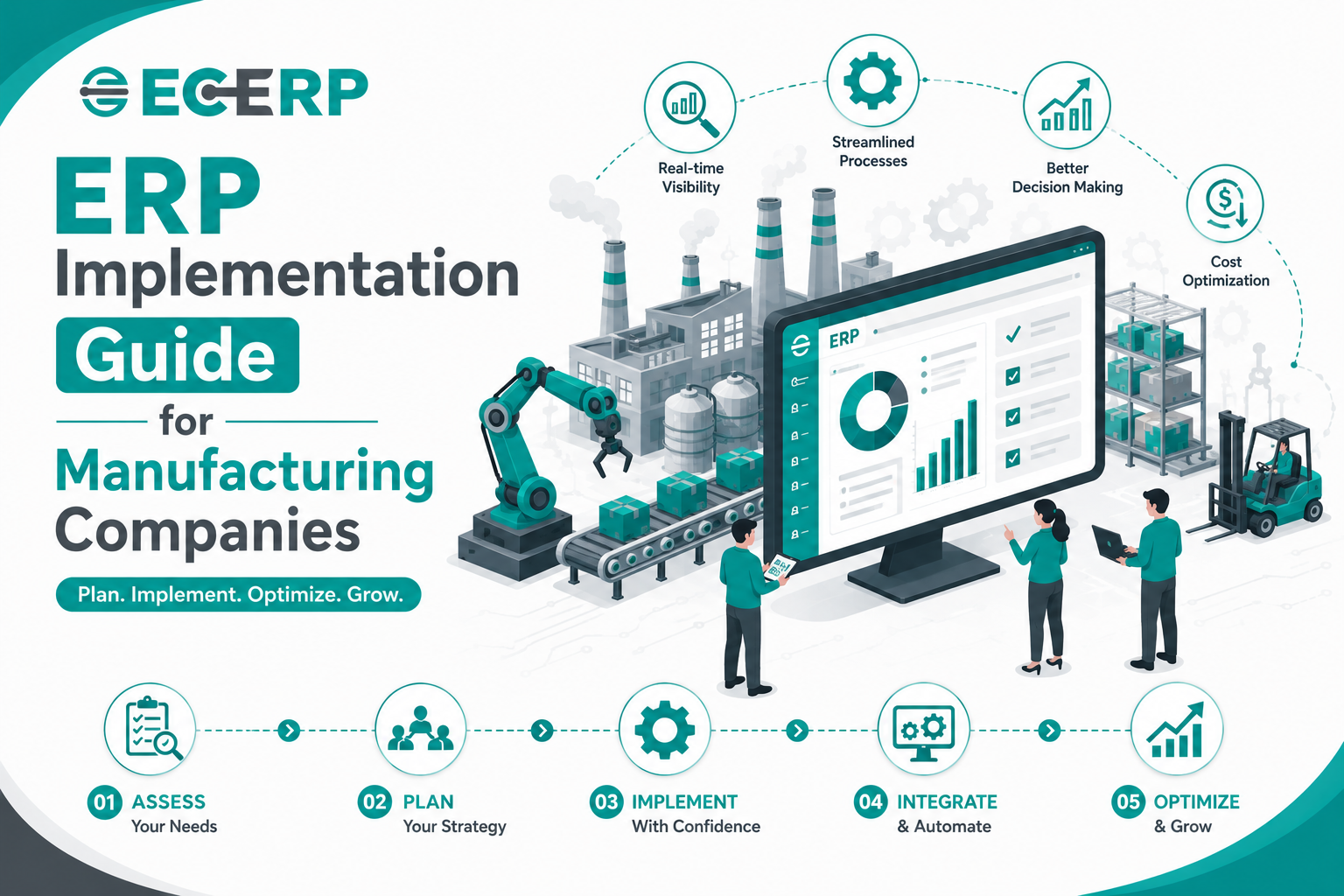
Building the Foundation for a Successful ERP Implementation
Manufacturing companies today operate in an increasingly competitive environment where efficiency, accuracy, and real-time decision-making are essential for long-term success. As customer expectations rise and production processes become more complex, relying on manual systems or disconnected software applications often leads to operational inefficiencies, delayed production schedules, inventory inaccuracies, and increased costs.
This is where Manufacturing ERP Software becomes a strategic investment rather than just another business application. A well-planned ERP Implementation enables manufacturers to connect every department—including production, inventory, procurement, finance, quality control, sales, and human resources—through a single integrated platform.
However, purchasing the right ERP Software is only the beginning. The real value comes from implementing it correctly. A structured ERP Implementation Guide helps organizations minimize risks, streamline business processes, improve employee adoption, and maximize the return on investment.
In this comprehensive guide, we'll walk through the essential planning stages that every manufacturing company should complete before implementing an ERP solution, helping you build a strong foundation for long-term business growth.
What is ERP Implementation?
ERP Implementation is the process of planning, configuring, deploying, and integrating an Enterprise Resource Planning (ERP) Software solution into an organization's daily operations. It involves much more than installing software—it requires aligning business processes, migrating data, training employees, and ensuring every department works together within one centralized system.
For manufacturing companies, a successful Manufacturing ERP Implementation connects critical business functions such as:
- Production Planning
- Inventory Management
- Purchase Management
- Sales Management
- Supply Chain Management
- Finance & Accounting
- Quality Management
- Warehouse Management
- Human Resource Management
- Payroll Management
- Customer Relationship Management (CRM)
- Business Intelligence & Reporting
Rather than operating separate systems for each department, an integrated Manufacturing ERP System creates a single source of truth, allowing teams to access accurate, real-time information and collaborate more effectively.
A successful Cloud ERP Software implementation also provides secure access to business information from anywhere, making it easier to manage multiple factories, warehouses, branch offices, and remote teams.
Why Manufacturing Companies Need ERP Implementation
Manufacturing businesses manage numerous interconnected processes every day. Every department depends on accurate and timely information to maintain smooth operations. When these processes are handled manually or through disconnected software, organizations often encounter operational bottlenecks that impact productivity and profitability.
Some of the most common challenges include:
- Delayed production schedules
- Inventory shortages or excess stock
- Poor coordination between departments
- Manual data entry errors
- Inaccurate production planning
- Rising operational costs
- Procurement delays
- Quality control issues
- Limited business visibility
- Delayed customer deliveries
- Difficulty tracking work orders
- Compliance challenges
These issues not only slow down operations but also reduce customer satisfaction and limit business growth.
A properly implemented Manufacturing ERP Software addresses these challenges by integrating every department into one centralized platform. Real-time information flows seamlessly across production, inventory, procurement, finance, sales, and HR, enabling faster decisions and more efficient workflows.
Instead of reacting to problems after they occur, businesses can proactively monitor operations, identify bottlenecks, and optimize resources before issues impact production.
Benefits of a Successful ERP Implementation
A well-executed ERP Implementation delivers measurable improvements across every area of manufacturing operations. Beyond automating daily tasks, it provides greater visibility, stronger collaboration, and improved business control.
Some of the key benefits include:
Improved Operational Efficiency
Automating repetitive tasks reduces manual effort, minimizes paperwork, and streamlines business processes, allowing employees to focus on higher-value activities.
Real-Time Business Visibility
Integrated dashboards provide instant access to production status, inventory levels, purchase orders, sales performance, financial reports, and workforce productivity.
Better Inventory Management
With real-time inventory tracking, manufacturers can reduce stock shortages, avoid overstocking, optimize warehouse operations, and improve material availability for production.
Accurate Production Planning
A centralized Manufacturing ERP System enables businesses to create realistic production schedules based on inventory availability, machine capacity, workforce allocation, and customer demand.
Improved Collaboration
When every department works from the same centralized database, communication improves, duplicate work is eliminated, and decision-making becomes faster.
Lower Operational Costs
Automation, optimized inventory, improved procurement, and efficient resource utilization help businesses reduce unnecessary expenses while increasing profitability.
Enhanced Customer Satisfaction
Faster order processing, accurate delivery schedules, improved product quality, and better communication help manufacturers strengthen customer relationships and build long-term trust.
Step 1: Analyze Your Current Business Processes
The first step in any successful ERP Implementation is understanding how your business currently operates.
Before selecting or configuring an ERP solution, manufacturers should evaluate existing workflows to identify operational inefficiencies and improvement opportunities.
Questions to consider include:
- Which processes are still managed manually?
- Where do production delays occur?
- Are inventory records accurate?
- How long does it take to process purchase orders?
- Are departments sharing information efficiently?
- Which tasks consume the most administrative time?
- What reports are difficult to generate?
Conducting a department-by-department assessment helps organizations understand their current challenges and prioritize areas for improvement.
Typical departments to evaluate include:
- Production
- Inventory & Warehouse
- Procurement
- Sales
- Finance & Accounting
- Human Resources
- Quality Control
- Customer Service
Documenting existing workflows provides valuable insights that guide ERP configuration and implementation planning.
Step 2: Define Clear ERP Implementation Goals
A successful ERP Implementation begins with clearly defined business objectives.
Without measurable goals, it becomes difficult to evaluate implementation success or determine whether the ERP system is delivering expected business value.
Common implementation objectives include:
- Improve inventory accuracy
- Automate production planning
- Reduce manual paperwork
- Increase operational efficiency
- Streamline procurement
- Improve financial reporting
- Strengthen quality management
- Enhance workforce productivity
- Improve customer order tracking
- Enable real-time business reporting
- Support multi-plant operations
- Prepare for business expansion
Setting realistic and measurable goals helps align the ERP implementation with the organization's long-term growth strategy.
Step 3: Build a Strong ERP Implementation Team
Technology alone cannot guarantee a successful ERP implementation. People play an equally important role.
An experienced implementation team ensures that every department's requirements are considered throughout the project.
A typical ERP implementation team includes:
- Senior Management
- Production Managers
- Inventory & Warehouse Teams
- Purchase Department
- Finance & Accounts
- Human Resources
- IT Team
- Sales & Customer Service
- Quality Assurance Team
- ERP Implementation Partner
Each department contributes valuable insights into existing processes, helping configure the ERP system to match real business requirements.
Management involvement is especially important, as leadership support encourages employee adoption and helps overcome resistance to organizational change.
Step 4: Choose the Right Manufacturing ERP Software
Every manufacturing business has different operational requirements, production workflows, and growth plans. Therefore, selecting an ERP solution should go beyond comparing features or pricing. Instead, businesses should evaluate whether the software can support both their current operations and future expansion.
A reliable Manufacturing ERP Software should provide an integrated platform that connects every business function, eliminating data silos and improving collaboration across departments.
When evaluating ERP solutions, look for the following essential modules:
- Production Planning & Scheduling
- Inventory Management Software
- Warehouse Management
- Purchase & Procurement Management
- Sales & Order Management
- Supply Chain Management
- Finance & Accounting
- Quality Management
- Human Resource Management (HRMS)
- Payroll Management
- Customer Relationship Management (CRM)
- Business Intelligence & Analytics
An integrated ERP platform enables every department to access real-time information, improving operational efficiency and decision-making.
Cloud ERP Software vs On-Premise ERP
One of the most important decisions during ERP Implementation is selecting the deployment model.
Many modern manufacturers are moving toward Cloud ERP Software because it offers greater flexibility, lower infrastructure costs, and easier scalability compared to traditional on-premise ERP systems.
Some of the key advantages of Cloud ERP Software include:
- Secure access from anywhere
- Lower upfront investment
- Automatic software updates
- Faster implementation
- Reduced IT maintenance
- Easy scalability
- Secure cloud backups
- Better collaboration across multiple locations
- Improved business continuity
For manufacturers operating multiple factories, warehouses, or branch offices, Cloud ERP Software provides centralized access to business information while supporting remote work and multi-location operations.
Step 5: Prepare and Organize Business Data
High-quality data is the foundation of every successful ERP Implementation. Migrating incomplete, outdated, or duplicate information into the new ERP system can create operational problems from the very beginning.
Before implementation, businesses should review and organize all critical business data.
This typically includes:
Customer Information
- Customer master records
- Contact information
- Sales history
- Credit limits
Supplier Information
- Vendor details
- Supplier contracts
- Payment terms
- Purchase history
Inventory Data
- Raw materials
- Work-in-progress (WIP)
- Finished goods
- Warehouse locations
- Batch and lot information
Production Data
- Bills of Materials (BOM)
- Routing information
- Machine details
- Production workflows
- Work centers
Employee Information
- Employee records
- Departments
- Designations
- Attendance history
- Payroll data
Financial Information
- Chart of accounts
- Opening balances
- Customer receivables
- Vendor payables
- Tax information
Cleaning and validating business data before migration helps improve reporting accuracy and reduces implementation delays.
Step 6: Standardize Business Processes
Many manufacturing companies have developed different ways of performing the same task across departments or locations. These inconsistencies often reduce efficiency and create unnecessary complexity.
Before implementing Manufacturing ERP Software, organizations should standardize their workflows to ensure consistent operations across the business.
Examples include:
- Purchase approval workflows
- Sales order processing
- Inventory movement procedures
- Production planning processes
- Quality inspection procedures
- Expense approval workflows
- Leave approval processes
- Financial reporting standards
Standardized processes make ERP configuration easier while improving operational consistency.
Step 7: Prepare Your Infrastructure and Technology
Although modern Cloud ERP Software reduces hardware requirements, businesses must still ensure their technical environment is ready for implementation.
Preparation should include:
- Stable internet connectivity
- Secure user authentication
- Role-based user access
- Data backup strategy
- Cybersecurity measures
- Device compatibility
- Mobile accessibility
- Printer and barcode integration
- Biometric integration (if applicable)
Organizations choosing cloud deployment should also verify data security policies, encryption standards, and disaster recovery capabilities offered by the ERP provider.
Proper infrastructure planning minimizes technical disruptions during implementation.
Develop an ERP Implementation Timeline
ERP implementation is a structured project that requires careful planning and coordination. Establishing a realistic timeline helps departments prepare for each phase while reducing business disruptions.
A typical implementation roadmap includes:
- Business process analysis
- ERP software selection
- Project planning
- Data preparation
- System configuration
- Data migration
- User training
- Pilot testing
- Go-live
- Post-implementation support
Breaking the project into manageable phases allows organizations to monitor progress and address issues before moving to the next stage.
Communicate the Change Across the Organization
One of the biggest reasons ERP projects fail is employee resistance to change. Introducing a new system affects daily workflows, making clear communication essential.
Employees should understand:
- Why the ERP system is being implemented
- How it will improve their daily work
- What changes they can expect
- Training schedules
- Implementation timelines
- Support resources available during the transition
Open communication builds confidence, encourages participation, and increases user adoption throughout the implementation process.
Establish Key Performance Indicators (KPIs)
Before implementation begins, manufacturers should define measurable success indicators to evaluate the effectiveness of the new ERP system.
Common ERP implementation KPIs include:
- Inventory accuracy
- Production cycle time
- On-time delivery rate
- Procurement lead time
- Order fulfillment time
- Machine utilization
- Employee productivity
- Payroll processing time
- Customer satisfaction
- Financial reporting accuracy
- Operational cost reduction
Tracking these metrics before and after implementation helps businesses measure the return on their ERP investment.
Why Proper Preparation Determines ERP Success
Successful ERP Implementation is not only about installing software—it is about preparing the entire organization for a new way of working. Choosing the right Manufacturing ERP Software, organizing business data, standardizing workflows, and involving employees early in the process significantly improve implementation outcomes.
Businesses that invest time in preparation are more likely to experience faster deployment, higher user adoption, improved operational efficiency, and stronger long-term business performance.
A well-prepared implementation also reduces risks, minimizes downtime, and ensures that every department can begin using the ERP system with confidence from day one.
Step 8: Configure the ERP System
Once the software has been selected, the ERP system must be configured to match your organization's business processes. Configuration ensures that each department can perform its daily operations efficiently while maintaining data consistency across the organization.
Unlike generic software, Manufacturing ERP Software should be configured based on your production workflows, inventory policies, financial structure, and organizational hierarchy.
A typical ERP configuration includes:
- Company master settings
- Business locations and branches
- Departments and cost centers
- User roles and permissions
- Approval workflows
- Production workflows
- Inventory parameters
- Tax configurations
- Financial accounting structure
- Payroll settings
- HR policies
- Quality inspection parameters
- Purchase and sales workflows
Proper configuration ensures every module works together seamlessly and reflects your organization's operational requirements.
Step 9: Migrate Business Data Accurately
Data migration is one of the most critical phases of ERP Implementation. The quality of your ERP system depends on the accuracy of the data imported into it.
Before migration, organizations should review and clean all existing records to eliminate duplicate, outdated, or incomplete information.
Common data migration includes:
Customer Data
- Customer master records
- Contact details
- Sales history
- Outstanding balances
Vendor Information
- Supplier database
- Purchase history
- Vendor pricing
- Payment terms
Inventory Data
- Raw materials
- Work-in-progress
- Finished goods
- Warehouse locations
- Batch numbers
- Serial numbers
Production Data
- Bills of Materials (BOM)
- Routing details
- Machine information
- Production schedules
Financial Records
- Chart of Accounts
- Opening balances
- Receivables
- Payables
- Tax information
Employee Records
- Employee profiles
- Attendance
- Payroll history
- Leave balances
- Departments
- Designations
After migration, every dataset should be validated carefully to ensure information is complete and accurate before the system goes live.
Step 10: Train Employees for Successful ERP Adoption
Even the most advanced Manufacturing ERP System cannot deliver results unless employees understand how to use it effectively.
Training is essential for increasing user confidence, reducing implementation errors, and improving employee adoption.
Training should be tailored to each department based on their daily responsibilities.
Production Team
Training focuses on:
- Production planning
- Work order management
- Shop floor reporting
- Machine scheduling
- Production tracking
Inventory & Warehouse Team
Employees learn how to:
- Receive inventory
- Issue materials
- Transfer stock
- Perform stock verification
- Generate inventory reports
Purchase Department
Training includes:
- Purchase requisitions
- Purchase orders
- Supplier management
- Goods receipt
- Vendor performance
Sales Team
Users learn:
- Quotation management
- Sales order processing
- Customer management
- Delivery tracking
- Invoice generation
Finance Team
Training covers:
- Accounts payable
- Accounts receivable
- Cash management
- Financial reporting
- GST and taxation
- Cost center accounting
HR & Payroll Department
Training includes:
- Employee management
- Attendance
- Leave management
- Shift scheduling
- Payroll processing
- Employee Self-Service Portal
Proper training reduces resistance to change while helping employees become productive quickly after implementation.
Step 11: Conduct Pilot Testing and User Acceptance Testing (UAT)
Before deploying the ERP system across the entire organization, businesses should conduct a pilot implementation.
Pilot testing allows organizations to verify whether the ERP system performs as expected under real business conditions.
Key areas to test include:
- Production planning
- Inventory transactions
- Purchase workflow
- Sales processing
- Financial accounting
- Payroll calculations
- Attendance management
- Report generation
- Dashboard accuracy
- User permissions
After pilot testing, User Acceptance Testing (UAT) should be performed by department representatives.
The objective of UAT is to confirm that:
- Business workflows operate correctly.
- Reports display accurate information.
- Transactions process successfully.
- User roles are functioning properly.
- Approval workflows work as expected.
- Business requirements have been met.
Any issues identified during testing should be resolved before the final rollout.
Step 12: Execute a Well-Planned Go-Live Strategy
The Go-Live phase marks the official transition from existing systems to the new Manufacturing ERP Software.
A successful go-live requires careful planning to minimize operational disruptions.
Before going live, organizations should verify:
- All master data has been migrated
- User accounts are active
- Department workflows are configured
- Reports are validated
- Backups are completed
- Employees are trained
- Support teams are available
Many manufacturers choose to go live during weekends or periods of lower production activity to reduce operational risks.
Once the ERP system becomes operational, departments should begin processing real-time transactions while implementation consultants monitor system performance closely.
Provide Continuous Post-Go-Live Support
The implementation process does not end after the ERP system goes live.
The first few weeks are critical for ensuring employees adapt successfully and any issues are resolved quickly.
Organizations should provide:
- Dedicated help desk support
- User guidance
- Technical troubleshooting
- Workflow optimization
- Performance monitoring
- Regular review meetings
Continuous support encourages employee confidence while maximizing ERP utilization.
Common ERP Implementation Challenges and How to Overcome Them
Even well-planned ERP projects can face challenges. Identifying potential risks early helps organizations avoid costly delays.
Employee Resistance
Employees may hesitate to adopt new technology.
Solution:
Provide early communication, practical training, and management support.
Poor Data Quality
Duplicate or outdated records can create reporting errors.
Solution:
Clean and validate all business data before migration.
Insufficient User Training
Lack of training often leads to incorrect system usage.
Solution:
Conduct department-specific training sessions and provide ongoing support.
Scope Changes During Implementation
Adding new requirements midway can delay the project.
Solution:
Define clear project objectives and implementation phases before starting.
Lack of Management Involvement
ERP implementation requires leadership support to drive organizational change.
Solution:
Ensure senior management actively participates in planning, monitoring, and decision-making throughout the project.
Best Practices for a Successful ERP Deployment
Manufacturing companies can significantly improve implementation success by following proven best practices:
- Define clear implementation objectives
- Involve every department from the beginning
- Standardize business processes
- Maintain clean and accurate data
- Train users thoroughly
- Conduct comprehensive testing
- Monitor implementation progress regularly
- Choose an experienced ERP implementation partner
- Provide continuous post-go-live support
- Measure performance using key business metrics
Following these practices helps businesses maximize the value of their Manufacturing ERP Software investment while minimizing implementation risks.
Preparing for Long-Term ERP Success
A successful ERP Implementation extends beyond software deployment. It establishes a digital foundation that enables manufacturers to improve efficiency, strengthen collaboration, enhance decision-making, and support sustainable growth.
Organizations that invest in proper configuration, employee training, testing, and continuous improvement are more likely to realize the full benefits of Cloud ERP Software. By embracing best practices and maintaining a long-term perspective, manufacturers can transform their operations into connected, data-driven, and future-ready enterprises.
Essential Features Every Manufacturing ERP Software Should Have
Choosing the right Manufacturing ERP Software is about selecting a solution that supports your complete manufacturing lifecycle while remaining flexible enough to adapt as your business grows.
Here are the key features every manufacturing business should look for.
1. Production Planning & Scheduling
Efficient production planning is the backbone of manufacturing success.
A comprehensive ERP solution should help businesses:
- Plan production orders
- Schedule manufacturing activities
- Allocate manpower and machines
- Track production progress
- Monitor work orders
- Reduce production delays
- Improve resource utilization
Accurate production scheduling helps manufacturers meet customer deadlines while optimizing operational efficiency.
2. Inventory & Warehouse Management
Effective inventory control minimizes operational costs and prevents production disruptions.
A robust Inventory Management Software should enable businesses to:
- Monitor inventory in real time
- Track raw materials, WIP, and finished goods
- Manage multiple warehouses
- Track batch and lot numbers
- Automate stock replenishment
- Improve warehouse efficiency
- Reduce inventory carrying costs
Real-time inventory visibility ensures uninterrupted manufacturing operations.
3. Procurement & Vendor Management
A reliable procurement system ensures raw materials are available whenever production requires them.
Manufacturers should look for features such as:
- Supplier management
- Purchase requisitions
- Purchase order generation
- Vendor quotation comparison
- Goods receipt management
- Vendor performance tracking
- Procurement analytics
Efficient procurement improves supplier relationships while reducing purchasing delays.
4. Finance & Accounting Integration
Finance should never operate independently from production and inventory.
Integrated Finance & Accounting ERP enables organizations to:
- Monitor manufacturing costs
- Manage Accounts Payable
- Manage Accounts Receivable
- Generate financial statements
- Track cost centers
- Monitor cash flow
- Analyze profitability
Real-time financial information supports faster and more informed decision-making.
5. Quality Management
Maintaining consistent product quality improves customer satisfaction and regulatory compliance.
An integrated Quality Management module should include:
- Quality inspections
- Batch traceability
- Defect tracking
- Non-conformance management
- Corrective action workflows
- Quality reports
- Product analytics
These capabilities help manufacturers reduce rework and maintain high production standards.
6. Human Resource & Payroll Management
Employees play a vital role in manufacturing success.
Integrated Human Resource Management Software and Payroll Management Software should support:
- Employee Information Management
- Attendance Management
- Leave Management
- Shift Scheduling
- Payroll Processing
- Overtime Management
- Performance Evaluation
- Employee Self-Service Portal
Automating HR operations improves workforce productivity while reducing administrative effort.
7. Business Intelligence & Analytics
Manufacturing decisions should be based on data rather than assumptions.
Advanced ERP Software provides interactive dashboards that help management monitor:
- Production performance
- Inventory turnover
- Sales trends
- Purchase expenses
- Machine utilization
- Employee productivity
- Financial performance
Business intelligence enables manufacturers to identify opportunities, resolve bottlenecks, and improve operational efficiency.
The Future of Manufacturing ERP Software
The manufacturing industry continues to evolve rapidly as businesses adopt intelligent technologies to remain competitive.
Modern Cloud ERP Software is becoming smarter through the integration of advanced technologies that improve productivity, visibility, and decision-making.
Artificial Intelligence (AI)
AI helps manufacturers:
- Predict production demand
- Optimize inventory
- Improve forecasting
- Identify operational bottlenecks
- Automate routine decision-making
AI-powered ERP enables businesses to become more proactive and efficient.
Internet of Things (IoT)
IoT-enabled manufacturing equipment can communicate directly with ERP systems.
Benefits include:
- Real-time machine monitoring
- Predictive maintenance
- Equipment utilization analysis
- Reduced machine downtime
- Improved production planning
IoT provides manufacturers with greater operational visibility and equipment control.
Predictive Analytics
Predictive Analytics enables businesses to:
- Forecast customer demand
- Predict inventory requirements
- Identify production trends
- Improve procurement planning
- Reduce operational risks
These insights support better long-term planning and resource optimization.
Mobile ERP
Modern manufacturers require business access anytime and anywhere.
Mobile ERP allows managers and employees to:
- Review dashboards
- Approve transactions
- Monitor production
- Access reports
- Track inventory
- Receive business alerts
Mobile accessibility improves responsiveness and operational flexibility.
Workflow Automation
Automation remains one of the biggest advantages of modern ERP systems.
Workflow automation enables businesses to:
- Reduce paperwork
- Speed up approvals
- Improve process consistency
- Minimize manual intervention
- Increase productivity
Automated workflows support faster and more accurate business operations.
Frequently Asked Questions (FAQs)
1. What is ERP Implementation?
ERP Implementation is the process of planning, configuring, deploying, and integrating an ERP Software solution into an organization's daily operations to streamline business processes and improve operational efficiency.
2. How long does ERP Implementation take?
Implementation timelines vary depending on business size, operational complexity, customization requirements, and the number of modules being deployed. A well-planned implementation typically progresses through phases such as planning, configuration, data migration, training, testing, and go-live.
3. Why do manufacturing companies need ERP Software?
Manufacturing businesses use Manufacturing ERP Software to automate production planning, inventory management, procurement, finance, quality control, HRMS, payroll, and sales, helping improve productivity, reduce costs, and gain real-time business visibility.
4. Is Cloud ERP Software suitable for manufacturers?
Yes. Cloud ERP Software provides secure access from anywhere, lower infrastructure costs, automatic updates, improved scalability, and better collaboration across multiple plants and branch locations.
5. Can ERP Software integrate with existing business applications?
Yes. Modern ERP solutions integrate seamlessly with:
- CRM Software
- HRMS Software
- Payroll Software
- Accounting Software
- Barcode Systems
- Biometric Devices
- Warehouse Management Systems
- Third-party business applications
Integration eliminates duplicate data entry and improves operational efficiency.
6. Is ERP Software suitable for small and medium-sized manufacturers?
Absolutely. Whether you're an MSME, a growing manufacturing business, or a large enterprise, Manufacturing ERP Software can be scaled to support your operational needs and future expansion.
Why Choose ECERP Manufacturing ERP Software?
Choosing the right ERP partner is just as important as selecting the right software.
ECERP - Manufacturing ERP Software is designed specifically to help manufacturers automate operations, improve productivity, and gain complete visibility across every department.
With ECERP, your business can:
- Automate production planning and scheduling
- Improve inventory and warehouse management
- Streamline procurement and vendor management
- Simplify finance and accounting
- Strengthen quality control and traceability
- Integrate HRMS and payroll management
- Manage CRM and customer orders
- Access real-time dashboards and business analytics
- Manage multiple factories, warehouses, and branches
- Improve collaboration across departments
- Reduce operational costs and manual errors
- Scale confidently with secure Cloud ERP technology
Key Benefits of Implementing Manufacturing ERP Software
Businesses implementing a modern Manufacturing ERP Software solution often experience measurable improvements across every department.
Some of the major benefits include:
Improved Productivity
Automate repetitive tasks, reduce manual work, and improve workforce efficiency.
Better Inventory Control
Monitor inventory accurately while reducing shortages and excess stock.
Faster Production Planning
Plan production efficiently and reduce delays with real-time scheduling.
Real-Time Business Visibility
Access live dashboards, reports, and analytics from one centralized platform.
Improved Financial Management
Connect finance with production, procurement, inventory, and sales for better financial control.
Enhanced Customer Satisfaction
Deliver products on time, improve order accuracy, and strengthen customer relationships.
Business Scalability
Expand confidently with flexible Cloud ERP Software that grows alongside your organization.
Final Thoughts
Manufacturing companies can no longer depend on disconnected software applications or manual processes to manage increasingly complex operations. As customer expectations continue to evolve, businesses require integrated systems that provide real-time visibility, process automation, and data-driven decision-making.
A modern Manufacturing ERP Software solution connects every department—from production planning and inventory management to procurement, finance, quality control, HRMS, payroll, and customer relationship management—within a single, centralized platform.
A successful ERP Implementation not only streamlines day-to-day operations but also creates a strong digital foundation for continuous improvement, operational excellence, and sustainable business growth.
Whether you're an MSME looking to improve operational efficiency or a large enterprise planning digital transformation, investing in the right Cloud ERP Software can help your organization reduce costs, improve productivity, strengthen customer relationships, and remain competitive in an evolving manufacturing landscape.
Ready to Transform Your Manufacturing Business?
If you're looking for a powerful, scalable, and user-friendly ECERP - Manufacturing ERP is built to help you manage your entire manufacturing operation from one integrated platform.
With ECERP, you can:
- Automate production planning
- Optimize inventory management
- Streamline procurement
- Simplify finance and accounting
- Improve quality control
- Manage HRMS and payroll
- Access real-time business dashboards
- Enhance operational efficiency across multiple factories and branches
Whether your goal is to increase productivity, reduce operational costs, improve customer satisfaction, or accelerate digital transformation, ECERP Manufacturing ERP Software provides the tools your business needs to succeed.
Request a FREE Demo Today
Discover how ECERP - Manufacturing ERP Software can help your manufacturing business automate processes, improve efficiency, and achieve sustainable growth through one intelligent, integrated Cloud ERP Software platform.