


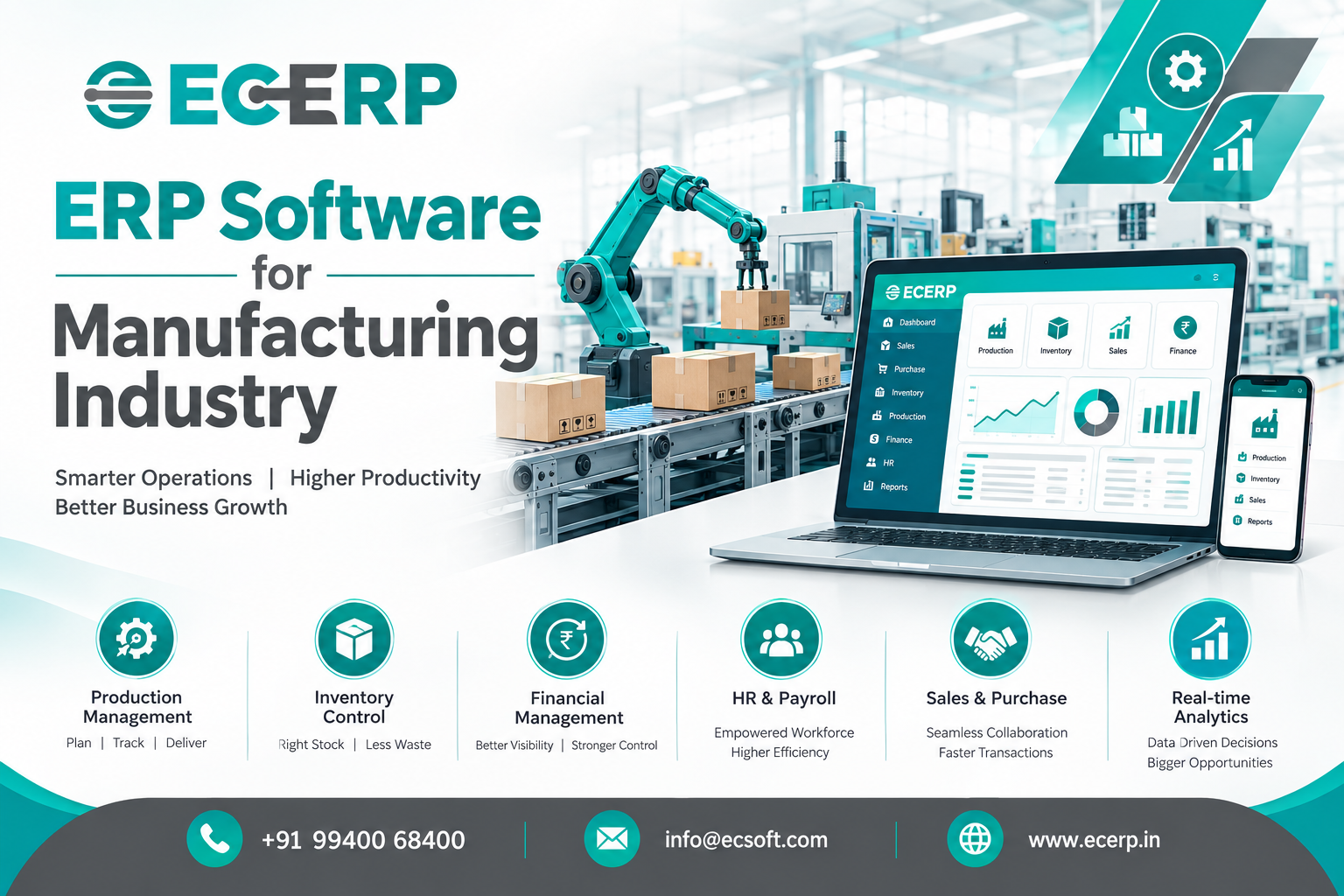
ERP Software for Manufacturing Industry: A Complete Guide for Modern Manufacturers
Running a manufacturing business is rarely about production alone. A typical manufacturer has to manage raw materials, suppliers, purchase orders, inventory, production schedules, bills of materials, work orders, quality checks, finished goods, sales orders, dispatches, payments and financial information—often at the same time.
When these activities are managed through separate spreadsheets, accounting software and disconnected applications, information starts getting scattered. A purchase team may not know what production needs next. The production team may not have an accurate view of available stock. Sales may promise delivery without knowing the actual production position. This is where ERP Software for the manufacturing industry becomes valuable.
A manufacturing ERP system brings key business processes into one connected platform, helping manufacturers manage everything from purchasing raw materials to producing finished goods, fulfilling customer orders and monitoring business performance.
For growing manufacturers, the real benefit isn't simply having “one software.” It is having one reliable flow of information across the business.
What is ERP Software for the Manufacturing Industry?
Instead of maintaining separate records for different departments, a manufacturing ERP system creates a connected operational workflow.
For example:
Sales Order → Material Requirement → Purchase → Inventory → Production → Quality → Finished Goods → Dispatch → Finance
When these processes are connected, teams can work from the same business information rather than repeatedly entering or reconciling data.
A good manufacturing ERP solution should therefore do more than handle accounting. It should help the business understand:
- What needs to be produced?
- How much raw material is required?
- What is currently available in stock?
- What needs to be purchased?
- Which production orders are pending?
- What is currently in production?
- What finished goods are available?
- Which orders are ready for dispatch?
- What is the financial impact of operations?
That connected view is one of the biggest reasons manufacturers move from spreadsheets and standalone applications to ERP software.
Why Do Manufacturing Companies Need ERP Software?
Manufacturing becomes more complicated as a company grows.
More customers mean more sales orders. More products mean more BOMs. More production means more material movement. Multiple warehouses create additional inventory challenges. More suppliers mean more purchase transactions and follow-ups.
At some point, manually coordinating everything becomes difficult.
Common manufacturing problems include:
- Inaccurate inventory information
- Excess raw material purchases
- Production delays
- Poor production planning
- Difficulty tracking work orders
- Manual BOM management
- Communication gaps between departments
- Limited visibility into work-in-progress
- Difficulty tracking finished goods
- Delayed purchase decisions
- Duplicate data entry
- Difficulties preparing management reports
- Limited visibility into business performance
A manufacturing ERP system helps connect these processes so that information flows between departments instead of remaining inside individual spreadsheets or applications.
The objective isn't to add another layer of software.
The objective is to remove unnecessary operational friction.
How Does Manufacturing ERP Software Work?
A manufacturing ERP system generally connects multiple business functions through a centralized database and common workflows.
Consider a simple example.
A customer places an order for 1,000 units.
The sales team records the order in the ERP.
The system can then provide visibility into:
Sales: What has the customer ordered?
Planning: When should the products be produced?
Inventory: Are the required raw materials available?
Purchase: What materials need to be ordered?
Production: What needs to be manufactured?
Quality: Have the finished products passed inspection?
Stores: Where are the finished goods?
Dispatch: What can be delivered?
Finance: What has been invoiced and collected?
This is the difference between simply using software and having an integrated ERP system for manufacturing.
Key Features of ERP Software for Manufacturing
The exact features vary between ERP platforms, but manufacturers should look for functionality that supports their complete operational cycle.
1. Production Planning
Production planning helps manufacturers organize what needs to be produced, when it needs to be produced and what resources are required.
A manufacturing ERP solution can help businesses coordinate production requirements with sales demand, inventory availability and material requirements.
Better production planning can help reduce last-minute changes and improve coordination between production and other departments.
2. Bill of Materials (BOM) Management
A Bill of Materials defines the components, raw materials or sub-assemblies required to manufacture a product.
Managing BOMs manually can become difficult when a company has many products or product variations.
BOM management in ERP software helps manufacturers maintain structured product information and use it as part of the production process.
This provides a clearer connection between:
Finished Product → Components → Raw Materials → Production Requirement
3. Material Requirement Planning
Production depends on having the right materials available at the right time.
If materials are unavailable, production can stop.
If too much material is purchased, working capital can become unnecessarily tied up in inventory.
Manufacturing ERP software helps businesses connect production requirements with inventory and purchasing information, making material planning more organized.
4. Inventory Management
Inventory is one of the most important areas for a manufacturing business.
Manufacturers may need to track:
- Raw materials
- Components
- Work-in-progress
- Finished goods
- Consumables
- Spare materials
- Warehouse stock
An ERP inventory management system provides a centralized view of stock movements and availability.
This helps businesses make better purchasing and production decisions instead of relying on disconnected stock sheets.
5. Work Order Management
Production needs a structured way to move from planning to execution.
Work order management helps businesses organize production activities and track the progress of manufacturing jobs.
Instead of asking different teams for updates, managers can use the ERP system to understand which work orders are pending, in progress or completed.
6. Purchase Management
Manufacturing and purchasing are closely connected.
Production needs materials.
Materials require suppliers.
Suppliers require purchase orders.
Purchase management within an ERP system can connect supplier information, purchase requirements, orders and inventory processes.
This gives purchasing teams better visibility into what the business actually needs.
7. Quality Management
Quality problems can affect production costs, customer satisfaction and delivery schedules.
Manufacturing ERP software can support quality-related processes such as:
- Incoming material inspection
- In-process quality checks
- Finished goods inspection
- Quality records
- Rejection tracking
- Inspection history
Connecting quality information with manufacturing operations makes it easier to identify where problems occur and respond more quickly.
8. Sales Order Management
Manufacturing does not operate independently of sales.
Production requirements often originate from customer demand.
An integrated ERP platform can connect sales orders with inventory and production processes, giving teams better visibility into customer requirements and fulfillment.
This can reduce the gap between what sales promises and what operations can deliver.
9. Finance and Accounting Integration
Manufacturing decisions eventually affect money.
Purchases, sales, inventory, production and expenses all have financial implications.
When manufacturing operations and finance work through connected ERP processes, management can get a more complete picture of business performance.
This is one of the major advantages of ERP compared with maintaining separate production and accounting systems.
Benefits of ERP Software for Manufacturing Companies
The benefits of implementing manufacturing ERP software depend on the company's processes and how effectively the system is adopted.
However, manufacturers commonly look for improvements in the following areas.
Better operational visibility
Management can get a clearer picture of sales, purchasing, inventory and production activities from one connected system.
Improved inventory control
Centralized inventory information can help businesses make more informed decisions about purchasing, production and stock levels.
Better production planning
Production teams can coordinate requirements more effectively when sales, inventory and material information are connected.
Reduced manual data entry
Connecting workflows can reduce repeated entry of the same information across different systems.
Faster access to information
Teams spend less time searching through spreadsheets, emails and disconnected records.
Improved departmental coordination
Sales, purchase, stores, production, quality and finance can work from shared business information.
Better management decisions
Reports and dashboards can provide management with greater visibility into operational performance.
Greater scalability
A structured ERP system can provide a stronger operational foundation as the manufacturing business grows.
ERP Software for Small and Medium Manufacturing Businesses
ERP is not only for large factories.
Small and medium-sized manufacturers can also benefit from an integrated ERP system when growing operational complexity makes spreadsheets and disconnected software difficult to manage.
For an SME, however, the right ERP may look different from the system required by a large enterprise.
A manufacturing SME should consider:
- Ease of implementation
- Ease of use
- Relevant manufacturing modules
- Scalability
- Customization requirements
- Reporting capabilities
- Mobile accessibility
- Integration options
- Data security
- Vendor support
- Total cost of ownership
The goal should not be to purchase the software with the longest feature list.
The goal should be to select an ERP system that fits the company's actual manufacturing processes.
Cloud ERP for Manufacturing: Is It a Good Choice?
Cloud ERP has become an important option for manufacturers that want access to business information without maintaining traditional on-premise infrastructure.
With a cloud-based ERP system, authorized users can access business information through supported devices and network connections.
This can be useful for businesses with:
- Multiple locations
- Traveling management teams
- Remote sales teams
- Multiple warehouses
- Distributed operations
However, cloud ERP is not automatically the right choice for every manufacturer.
Before selecting a cloud ERP solution, businesses should evaluate security, data ownership, backups, availability, integrations, support and the provider's ability to meet their operational requirements.
Manufacturing ERP vs Excel: What's the Difference?
Excel is extremely useful for calculations, analysis and smaller operational tasks.
The problem begins when a manufacturing business tries to use spreadsheets as its primary business management system.
For example, a company may maintain:
- One spreadsheet for inventory
- Another for purchase orders
- Another for production
- Another for sales
- Another for customer information
- Another for payments
Soon, the business has multiple versions of the truth.
A manufacturing ERP system approaches the problem differently.
Instead of maintaining separate records, departments work within connected processes.
Excel: Useful for individual analysis and flexible calculations.
ERP: Designed to connect business processes, users, transactions and operational information.
For growing manufacturers, the question isn't whether Excel is useful.
It is whether Excel alone can provide the control and visibility the business now requires.
How to Choose the Right ERP Software for a Manufacturing Company
Choosing ERP software is a major business decision.
Before selecting a manufacturing ERP system, evaluate the following areas.
1. Understand your current processes
Document how your company currently handles sales, purchasing, inventory, production, quality and finance.
2. Identify operational problems
Don't start with software features.
Start with business problems.
Ask:
Where are delays happening?
Where are errors happening?
Where is information being duplicated?
Which reports take too long to prepare?
3. Check manufacturing functionality
Make sure the ERP supports the manufacturing processes your business actually uses.
Look for relevant capabilities such as:
- Production planning
- BOM management
- Material requirements
- Work orders
- Inventory
- Purchase
- Quality
- Finished goods
- Sales
- Finance
4. Evaluate usability
A technically powerful ERP system is of limited value if employees find it difficult to use.
Ask for a practical demonstration using workflows similar to your business.
5. Evaluate scalability
The ERP should support your future requirements rather than only your current size.
6. Understand implementation and support
Ask about:
- Implementation process
- Data migration
- Training
- Customization
- Integration
- Technical support
- Upgrades
- Backup and recovery
7. Calculate total cost
Don't evaluate ERP based only on the software license or subscription.
Consider implementation, customization, training, integrations, infrastructure, support and future expansion.
What Modules Should a Manufacturing ERP Have?
A comprehensive manufacturing ERP platform may include the following modules:
| ERP Module | What It Helps Manage |
|---|---|
| Sales | Quotations, sales orders, customers and invoicing |
| Purchase | Suppliers, purchase orders and procurement |
| Stores | Inventory, warehouses and stock movement |
| Planning | Demand, capacity, production scheduling and resources |
| Production | BOM, material requests, work orders and finished goods |
| Quality | Material and finished goods inspections |
| Finance | Receipts, payments, journals and financial transactions |
| CRM | Leads, customers, enquiries and customer relationships |
| Service | Service requests, quotations, contracts and warranties |
The most important consideration is not the number of modules.
It is how well those modules work together.
How ERP Connects Manufacturing Departments
One of the strongest reasons to implement ERP software is the ability to connect departments that traditionally operate separately.
For example:
Sales Team
Receives and records customer requirements.
Planning Team
Reviews demand and production requirements.
Purchase Team
Arranges required materials.
Stores Team
Receives and manages materials.
Production Team
Uses materials to manufacture products.
Quality Team
Checks incoming materials or finished products.
Stores / Dispatch
Manages finished goods and delivery.
Finance
Tracks the financial transactions associated with the business process.
Instead of each department maintaining an isolated process, the ERP creates a connected operational flow.
Signs Your Manufacturing Business May Need ERP Software
You may want to seriously evaluate manufacturing ERP software if:
- Your business has outgrown spreadsheets.
- Employees maintain different versions of the same information.
- Inventory figures are difficult to verify.
- Production schedules frequently change.
- Purchase decisions are based on manual calculations.
- Management struggles to get real-time operational information.
- Sales and production teams frequently need to reconcile information.
- Work orders are difficult to track.
- BOM information is maintained manually.
- Quality records are disconnected from production.
- Multiple warehouses are becoming difficult to manage.
- Preparing reports takes too much manual effort.
These are not necessarily signs that your business needs more software.
They are signs that your business may need better-connected processes.
How ERP Software Can Improve Manufacturing Efficiency
Efficiency does not always mean producing more with fewer employees.
In manufacturing, efficiency can also mean:
- Fewer unnecessary steps
- Less duplicate data entry
- Faster information flow
- Better planning
- Fewer avoidable errors
- Better inventory visibility
- Faster decision-making
- Better coordination between departments
ERP software can support these improvements by connecting information and workflows.
The result is a manufacturing operation where teams spend less time chasing information and more time acting on it.
Common Mistakes to Avoid When Implementing Manufacturing ERP
ERP implementation can fail when businesses treat it as an IT project rather than a business transformation project.
Mistake 1: Choosing software based only on price
The cheapest ERP may not be the most economical option if it cannot support your processes.
Mistake 2: Buying too many features
More features do not automatically mean better software.
Mistake 3: Ignoring employees
Employees who use the ERP every day should be involved in evaluation and implementation.
Mistake 4: Poor data preparation
Incorrect customer, supplier, item, BOM or inventory data can create problems after implementation.
Mistake 5: Expecting instant results
Employees need training, processes need adjustment and management needs to monitor adoption.
Mistake 6: Treating customization as the answer to everything
Customization can be useful, but excessive customization can increase complexity and maintenance requirements.
Frequently Asked Questions About ERP Software for Manufacturing
What is the best ERP software for manufacturing?
The best ERP software depends on the manufacturer's size, industry, production process, number of locations, operational requirements and budget. Businesses should compare manufacturing functionality, usability, scalability, implementation, support and total cost before making a decision.
What does manufacturing ERP software do?
Manufacturing ERP software connects business processes such as production, planning, inventory, purchasing, sales, quality and finance so manufacturers can manage operations through a centralized system.
Is ERP software suitable for small manufacturing companies?
Yes. Small manufacturing companies can use ERP software to organize operations, improve inventory visibility, connect departments and establish structured processes as the business grows.
What are the most important manufacturing ERP modules?
Commonly required modules include production, planning, inventory or stores, purchase, sales, quality and finance. The right combination depends on the manufacturer's processes.
Can ERP software manage production planning?
Yes. Manufacturing ERP systems can support production planning by connecting demand, material availability, inventory and production requirements.
Can ERP software manage BOM?
Yes. Manufacturing ERP software can provide BOM management so businesses can maintain the components and materials associated with products and use that information during production planning and execution.
Can ERP connect inventory and production?
Yes. An integrated ERP system can connect inventory information with production requirements, helping teams understand material availability and production needs.
Is cloud ERP suitable for manufacturing companies?
Cloud ERP can be suitable for manufacturers that want accessible, centralized business systems. However, businesses should evaluate security, availability, integrations, support and operational requirements before selecting a solution.
How much does manufacturing ERP software cost?
ERP pricing varies significantly depending on the number of users, modules, deployment model, customization, implementation and support requirements. Manufacturers should evaluate the complete cost rather than comparing only license or subscription prices.
How long does ERP implementation take?
Implementation time depends on the size and complexity of the organization, number of modules, data migration, customization, integrations, training and implementation approach. A realistic implementation plan should be prepared after understanding the business requirements.
Why Choose ECERP for Manufacturing Management?
Manufacturers need more than accounting software.
They need visibility across the entire business.
ECERP brings core business functions into a connected ERP environment, helping businesses manage areas such as:
For manufacturing businesses, this connected approach can help bridge the gap between customer demand, material requirements, purchasing, inventory, production, quality and financial operations.
Whether you are replacing spreadsheets, moving away from disconnected applications or looking for a more structured manufacturing management system, the right ERP should help your teams work from the same information and make better decisions.
Ready to Bring Your Manufacturing Operations Together?
If production, inventory, purchasing, sales and finance are currently managed across disconnected systems, it may be time to look at a more integrated approach.
Explore ECERP and see how an integrated ERP platform can support your manufacturing operations.
Start your move toward a more connected, organized and scalable manufacturing business.
Final Takeaway
Manufacturing ERP software is not simply about automating individual tasks.
Its real value comes from connecting the business.
When sales, purchase, inventory, planning, production, quality and finance operate with shared information, manufacturers can gain better visibility into what is happening across the organization.
The right ERP software for the manufacturing industry should therefore be selected based on business processes, not just a list of features.
Start with your operational challenges.
Identify where information is getting lost.
Understand what your teams need.
Then choose an ERP platform that can grow with your manufacturing business.