


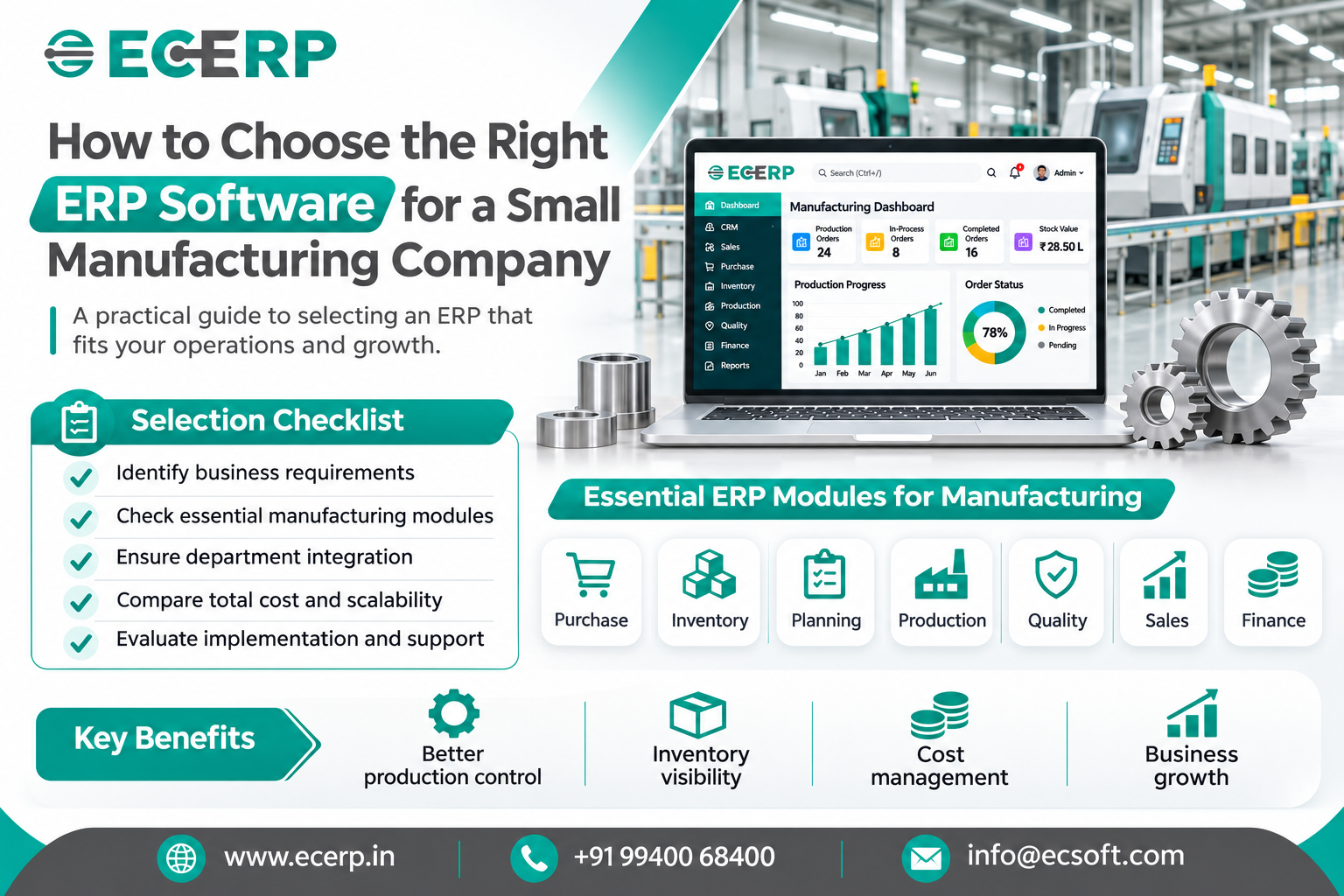
Right ERP Software for a Small Manufacturing Company
Choosing ERP software is an important decision for a small manufacturing company. The right system can help bring purchasing, inventory, production, sales, quality and finance activities together. The wrong system, however, can introduce unnecessary complexity, increase costs and make everyday work more difficult.
For a growing manufacturer, the challenge is not simply finding software with the most features. It is finding an ERP solution that fits the way the business operates today, solves its current problems and can support its future growth.
A small manufacturing business may not need every advanced feature available in a large enterprise ERP platform. But it does need reliable control over materials, production activities, stock movement, customer orders, costs and business information. So, how do you choose the right ERP software for a small manufacturing company
This guide explains what to look for, which ERP modules matter, what questions to ask vendors and how to make a practical decision. It also explores how an integrated solution such as ECERP by ECSOFT can support manufacturing businesses in managing their operations through connected ERP modules.
1. Start by Understanding What Your Manufacturing Business Actually Needs
Before comparing ERP software companies or requesting product demonstrations, take a closer look at your existing operations.
Many small manufacturers manage different activities using a combination of spreadsheets, accounting software, registers, emails and separate applications. This may work when the business is small. As orders increase, however, keeping everything updated becomes more difficult.
For example:
- The purchase team may not know the latest stock position.
- Production supervisors may receive material information after a delay.
- Sales teams may confirm delivery dates without checking production capacity.
- Management may struggle to calculate the actual cost of a finished product.
- Quality inspection details may be maintained separately from production records.
- Preparing reports may require collecting information from several departments.
These problems are good starting points for your ERP evaluation.
Prepare a list of your current business challenges
Write down the processes that consume the most time, create repeated work or affect customer commitments.
| Business Area | Questions to Consider |
|---|---|
| Sales | Can you track enquiries, quotations and customer orders easily? |
| Purchase | Can you identify what materials need to be purchased? |
| Inventory | Do you have reliable information about available stock? |
| Planning | Can you plan production based on orders and resources? |
| Production | Can you monitor work orders and finished goods? |
| Quality | Are inspection activities and results properly recorded? |
| Finance | Can you access purchase, sales and financial transaction details? |
| Management | Can you view useful business reports without collecting data manually? |
Practical tip: Do not begin your ERP selection by asking, "Which software has the most features?" Begin by asking, "Which business problems must our ERP solve?"
This approach helps you focus on software that delivers practical value rather than paying for features your team may never use.
2. Choose ERP Software with the Right Manufacturing Features
Not every ERP system is designed to handle manufacturing operations. Some solutions focus mainly on accounting, billing or inventory, while others provide broader support for production and business management.
ERP software for small manufacturing companies, check whether the solution supports the following essential functions.
Inventory and Stores Management
Inventory is one of the most important areas in a manufacturing business. Production depends on having the right materials available at the right time.
Your manufacturing ERP software should help you manage:
- Raw material and finished goods inventory
- Stock receipts and issues
- Material availability
- Warehouse and stores activities
- Inventory movement records
- Stock-related reports
A well-organised inventory process helps reduce confusion between physical stock and recorded stock. It also gives purchase and production teams better information when planning their activities.
Purchase Management
Purchasing the right materials at the right time is essential for maintaining production continuity.
A connected purchase and inventory process can help your team review material requirements before placing orders.
Production Planning
Production planning helps manufacturers organise work according to customer demand, material availability and available resources.
A suitable ERP system should support relevant planning activities such as:
- Demand forecasting
- Capacity planning
- Production scheduling
- Resource allocation
- Production requirement planning
For a small manufacturer, even better visibility into upcoming production requirements can make daily coordination easier.
Production Management
Your ERP system should support the activities involved in converting raw materials into finished products.
Evaluate whether it provides relevant functions such as:
- Bill of Materials (BOM) management
- Material request entry
- Work order requisition
- Finished goods entry
- Production-related records
A manufacturing ERP system with production management capabilities can help organise production information and improve coordination between stores, planning and production teams.
Quality Management
Quality checks should not be treated as an isolated activity.
Look for features that help record inward material inspections and finished goods inspections. These records can support quality-related decisions and provide better visibility into inspection activities.
Sales and CRM Management
Manufacturing companies also need to manage customer relationships, enquiries, quotations and sales orders.
An ERP system with sales and CRM capabilities can help connect customer-related activities with other business functions.
Finance Management
Financial information is essential for understanding business performance.
Check whether the ERP system supports activities such as:
- Receipt entry
- Payment entry
- Journal entry
- Debit and credit notes
- Financial transaction records
The objective is to make relevant financial information accessible within the broader business management environment.
Additional Modules to Consider
Depending on your business requirements, you may also need asset management, HR and payroll, design management, project management and maintenance management.
You do not necessarily need to activate every module on the first day. However, choosing an ERP platform that can support additional business functions as your organisation grows can reduce the need for multiple disconnected systems later.
3. Make Sure All ERP Modules Work Together
Having separate modules does not automatically mean that you have an integrated ERP system.
The real value comes from how information moves between departments.
Consider a simple example.
A customer places an order for 500 finished products. The sales team records the order. The planning team reviews production requirements. The stores team checks material availability. The purchase department coordinates any additional material requirements. Production carries out the work, and quality records the relevant inspections. Finance manages the related financial transactions.
If every department maintains separate records, employees may need to enter the same information repeatedly.
With an integrated ERP platform, relevant information can be connected across supported workflows. This can reduce duplicate data entry, improve visibility and help teams coordinate their work.
What to check during an ERP demo: Ask the vendor to demonstrate one complete business process, starting with a customer order and following it through material requirements, purchasing, production, quality and financial activities. This is more useful than watching a presentation of individual features.
4. Select an ERP System That Fits Your Company's Size and Budget
Small manufacturing companies should be careful about choosing software that is unnecessarily complex for their current requirements.
A large enterprise ERP platform may provide extensive capabilities, but your business may not need all of them. On the other hand, choosing a very basic application simply because it is inexpensive may create limitations as operations expand.
The right choice should balance functionality, usability, implementation requirements and total cost.
Understand the total cost of ERP software
Do not compare ERP providers only by their initial software price.
Ask for a clear explanation of the costs involved:
| Cost Area | What to Understand |
|---|---|
| Software licence or subscription | What is included in the selected plan? |
| Implementation | What activities are included in the implementation? |
| Customisation | Are changes to existing workflows charged separately? |
| Data migration | Is transferring existing business data included? |
| Employee training | Is training available for different user groups? |
| Hosting and infrastructure | Are there additional hosting or infrastructure costs? |
| Support and maintenance | What support arrangements and recurring charges apply? |
| Future expansion | What happens when you add users, modules or locations? |
Ask for a written quotation that clearly explains the included services and any additional charges.
A lower initial price does not always mean a lower overall cost. Equally, a more expensive system is not automatically the better choice. Evaluate the value it provides against your actual business requirements.
5. Decide Whether Cloud ERP or On-Premise ERP Is Suitable
Deployment is another important factor when choosing ERP software for a small manufacturing company.
The two common options are cloud ERP and on-premise ERP.
| Evaluation area | Cloud ERP | On-premise ERP |
|---|---|---|
| Hosting | Hosted on cloud infrastructure | Hosted on the organisation's infrastructure |
| Accessibility | Access through supported devices and internet connectivity | Access depends on the configured local or remote network |
| Infrastructure | Less need to manage local ERP servers | Requires suitable server infrastructure |
| Maintenance | Depends on the cloud provider's service arrangements | Managed by internal or external IT support |
| Scalability | Infrastructure can often be scaled according to requirements | Expansion depends on available infrastructure |
| Cost structure | Often subscription-based | May involve licensing and infrastructure expenses |
Cloud ERP can be attractive to small manufacturers that want access to business information across locations without managing all the underlying server infrastructure themselves.
On-premise ERP may suit organisations that prefer to manage their own infrastructure or have specific technical and operational requirements.
Before deciding, ask about data security, backups, access controls, internet dependency, service availability, updates and support.
There is no single deployment model that suits every manufacturer. Choose the option that fits your infrastructure, budget and working environment.
6. Check Whether the ERP Software Can Grow with Your Business
Your company may have one production unit today, but future requirements could be different.
You may introduce new product lines, increase production capacity, add warehouses, employ more people or expand into additional markets.
Replacing your ERP system every time the business grows can create unnecessary disruption.
Therefore, evaluate the software's ability to accommodate future requirements.
Ask the ERP provider:
- Can additional users be accommodated?
- Can new modules be introduced when required?
- Can the system support additional warehouses or business locations?
- Can new workflows be configured?
- Can the software integrate with other business applications?
- Can reporting requirements expand as the business grows?
A scalable ERP solution should support your current operations while giving you a practical path to manage future business requirements.
7. Evaluate Customisation and Integration Capabilities
Every manufacturing company has its own way of working.
A company producing machine components may follow a different workflow from a company manufacturing packaged products or engineering equipment.
Your ERP software should support the processes relevant to your business.
During evaluation, understand the difference between configuration and customisation.
- Configuration: Adjusting available software settings to match your business requirements.
- Customisation: Modifying or extending software functionality to support requirements that are not covered by standard features.
Ask the provider whether your required changes can be handled through existing features, configuration or additional development.
Also consider integration with other systems, such as accounting applications, e-commerce platforms, barcode systems or other business tools, where required.
Avoid unnecessary customisation. Too many changes can make future upgrades, maintenance and support more complicated.
8. Give Importance to ERP Implementation, Training and Technical Support
Selecting the software is only one part of the ERP journey. Successful implementation is equally important.
Even a capable ERP system may not deliver the expected value if the implementation is poorly planned or employees are not comfortable using it.
Before choosing an ERP software company, understand how it handles the complete implementation process.
ERP implementation checklist
- Requirement analysis: Understand your existing business processes and identify the required ERP functions.
- System configuration: Set up the relevant modules and workflows.
- Data preparation: Review existing customer, supplier, product, inventory and other business records.
- Data migration: Transfer the required information into the new ERP environment.
- Testing: Verify important workflows using realistic business scenarios.
- Employee training: Train users according to their roles and responsibilities.
- Go-live: Start using the ERP system according to the agreed rollout plan.
- Post-implementation support: Resolve issues, guide users and review system performance.
The implementation approach should be clear before you sign an agreement.
Ask who will coordinate the project, what your employees need to prepare, how long the proposed implementation may take and what support will be available after go-live.
The implementation timeline will depend on the number of modules, data quality, customisation, integrations and business complexity. Avoid accepting unrealistic promises without a clear project scope.
9. Test the ERP Software with Your Actual Manufacturing Workflow
A product demonstration should help you understand how the software works in real business situations.
Do not evaluate ERP software only through screenshots, feature lists or general presentations.
Prepare a simple scenario from your own manufacturing process and ask the vendor to demonstrate it.
For example:
Scenario: Producing a Customer Order
- Create or record a customer order.
- Review the required materials.
- Check available inventory.
- Identify additional purchase requirements.
- Organise production activities.
- Record relevant quality inspections.
- Enter finished goods information.
- Review the related sales and financial records.
Observe how easily users can complete each activity.
Check whether information is available to the relevant departments, whether reports are understandable and whether the workflow matches your actual business process.
Involve the people who will use the software every day. Their feedback can reveal practical issues that may not be obvious during a management-level presentation.
10. Choose an ERP Software Provider with Manufacturing Understanding
ERP selection is not only about choosing a product. You are also choosing the company that will help implement, configure, maintain and support it.
A provider who understands manufacturing workflows can ask better questions and help identify requirements before implementation begins.
Evaluate the ERP company based on:
- Experience in software development and ERP implementation
- Understanding of manufacturing processes
- Availability of relevant ERP modules
- Customisation and configuration capabilities
- Implementation methodology
- Employee training arrangements
- Technical support and maintenance
- Product development and future enhancement plans
Ask for a product demonstration, implementation details and references or examples that are relevant to your industry, where available.
The goal is to choose a provider who understands both the software and the operational challenges of your business.
11. How ECERP Can Support Small Manufacturing Companies
For small manufacturers looking to bring their business activities into one organised system, ECERP offers an integrated ERP platform developed by ECSOFT PRIVATE LIMITED.
Instead of managing important business functions through disconnected applications, businesses can explore ECERP modules designed to support different areas of business management.
ECERP modules for manufacturing business management
| ECERP module | How it supports business operations |
|---|---|
| CRM | Manage customer enquiries, accounts, contacts and related sales activities. |
| Sales | Organise quotations and sales orders. |
| Purchase | Manage supplier-related and purchasing activities. |
| Inventory and Stores | Maintain inventory information, stock movements and warehouse activities. |
| Planning | Support demand forecasting, capacity planning, production scheduling and resource allocation. |
| Production | Manage BOM, material requests, work order requisitions and finished goods entries. |
| Quality | Record inward material and finished goods inspections. |
| Finance | Manage receipts, payments, journal entries and debit or credit notes. |
| Asset | Organise business asset information. |
| HR and Payroll | Support employee and payroll administration. |
| Design | Manage relevant design-related activities. |
| Projects | Organise project-related business activities. |
| Maintenance | Manage maintenance-related activities. |
The value of these modules comes from selecting the functions that match your company's requirements and evaluating how they support your workflows.
Why consider ECERP for your manufacturing business?
When evaluating ECERP, manufacturing businesses can explore:
- Integrated business management: Bring relevant business functions into a common ERP environment.
- Manufacturing-related modules: Evaluate planning, production, inventory, purchase and quality capabilities.
- Business process visibility: Organise operational information across relevant departments.
- Flexible business requirements: Discuss the configuration and customisation needed for your workflows.
- Room for business expansion: Evaluate additional modules as your requirements develop.
- Software development experience: ECSOFT brings more than 25 years of software development experience to its business software solutions.
The most important step is to understand whether the available ECERP modules and workflows match your manufacturing operations. A product demonstration is a useful way to evaluate that fit.
Explore the ECERP website to learn more about its ERP capabilities.
12. ERP Selection Checklist for Small Manufacturing Companies
Before making your final decision, use this checklist to compare the ERP solutions you are considering.
| Evaluation criteria | What you should verify |
|---|---|
| Manufacturing suitability | Does it support your type of manufacturing process? |
| Inventory management | Can you manage raw materials and finished goods? |
| Purchase management | Can you organise suppliers and purchasing activities? |
| Production planning | Can you plan production based on demand and capacity? |
| Production management | Does it support your required production workflows? |
| BOM management | Can you maintain the bill of materials required for your products? |
| Quality management | Can you record the inspections relevant to your products? |
| Sales and CRM | Can you manage customer enquiries, quotations and orders? |
| Finance | Can you manage the required financial transactions? |
| Integration | Can relevant departments access connected information? |
| Usability | Can employees learn and use the system comfortably? |
| Customisation | Can the solution accommodate your business processes? |
| Deployment | Does the available deployment model suit your organisation? |
| Security and backup | Are the arrangements clearly explained? |
| Implementation | Is there a defined implementation plan? |
| Training and support | Will employees receive training and ongoing assistance? |
| Scalability | Can the system accommodate future requirements? |
| Total cost | Are all implementation and recurring expenses understood? |
Do not select an ERP system simply because it ticks the largest number of boxes. Give more importance to the requirements that directly affect your production, inventory, purchasing and business performance.
Frequently Asked Questions About ERP Software for Small Manufacturing Companies
1. Which ERP software is best for a small manufacturing company?
The best ERP software is the one that fits your manufacturing processes, budget, operational requirements and future growth plans. Evaluate inventory, purchase, production planning, production management, quality, sales and finance capabilities before making a decision.
2. Does a small manufacturing company really need ERP software?
ERP software can be useful when a manufacturer finds it difficult to manage purchasing, inventory, production, sales and finance through separate applications or spreadsheets. It provides a more structured way to organise business information and coordinate activities.
3. What are the essential modules in manufacturing ERP software?
The most relevant modules for many manufacturers include inventory and stores, purchase, planning, production, quality, sales and finance. Depending on the business, CRM, asset, HR and payroll, design, projects and maintenance modules may also be useful.
4. How much does ERP software cost for a small manufacturing business?
ERP software costs vary depending on the provider, number of users, modules, deployment model, implementation scope, customisation, integrations and support arrangements. Request a detailed quotation that includes both initial and recurring costs rather than comparing licence prices alone.
5. Is cloud ERP suitable for small manufacturing companies?
Cloud ERP can be suitable for small manufacturers that want to access business information through supported devices without managing all their own server infrastructure. However, businesses should evaluate internet connectivity, data security, backups, service availability and provider support before choosing it.
6. How long does it take to implement manufacturing ERP software?
The implementation timeline depends on business complexity, selected modules, data migration, customisation, integrations and employee readiness. A clear requirement analysis and implementation plan help establish a realistic timeline.
7. Can ERP software be customised for a small manufacturing company?
Some ERP solutions offer configuration and customisation options to accommodate different business workflows. Before implementation, discuss the required changes with the provider and understand their cost, maintenance implications and effect on future upgrades.
8. Can ERP software manage both inventory and production?
Manufacturing-focused ERP solutions can bring inventory and production activities together through supported workflows. For example, material availability can be considered when organising production requirements. The exact functionality depends on the software and its configuration.
9. What is the difference between manufacturing ERP and accounting software?
Accounting software mainly focuses on financial transactions and accounting records. Manufacturing ERP covers a broader range of business activities, which may include purchasing, inventory, production planning, production management, quality, sales and finance within an integrated platform.
10. Is ECERP suitable for small manufacturing companies?
ECERP offers modules covering areas such as purchase, inventory and stores, planning, production, quality, sales and finance, along with other business management functions. Small manufacturers can evaluate its capabilities through a product demonstration and discuss whether its available workflows meet their operational requirements.
Final Thoughts: Choose ERP Software That Works for Your Factory, Not Just Your Feature List
Choosing the right ERP software is about finding a practical solution for the way your manufacturing business operates.
Start by identifying your current challenges. Prioritise the modules that directly support your production and business activities. Evaluate how the software connects departments, understand the full implementation cost and test the system using your actual workflows.
Most importantly, choose an ERP provider that understands your requirements and can support you beyond the initial software implementation.
If you are exploring an integrated ERP solution for your manufacturing business, ECERP by ECSOFT is worth evaluating.
Bring your business activities into a more organised environment and explore how integrated ERP software can support your next stage of growth.
Explore ECERP and request a product demonstration: www.ecerp.in