


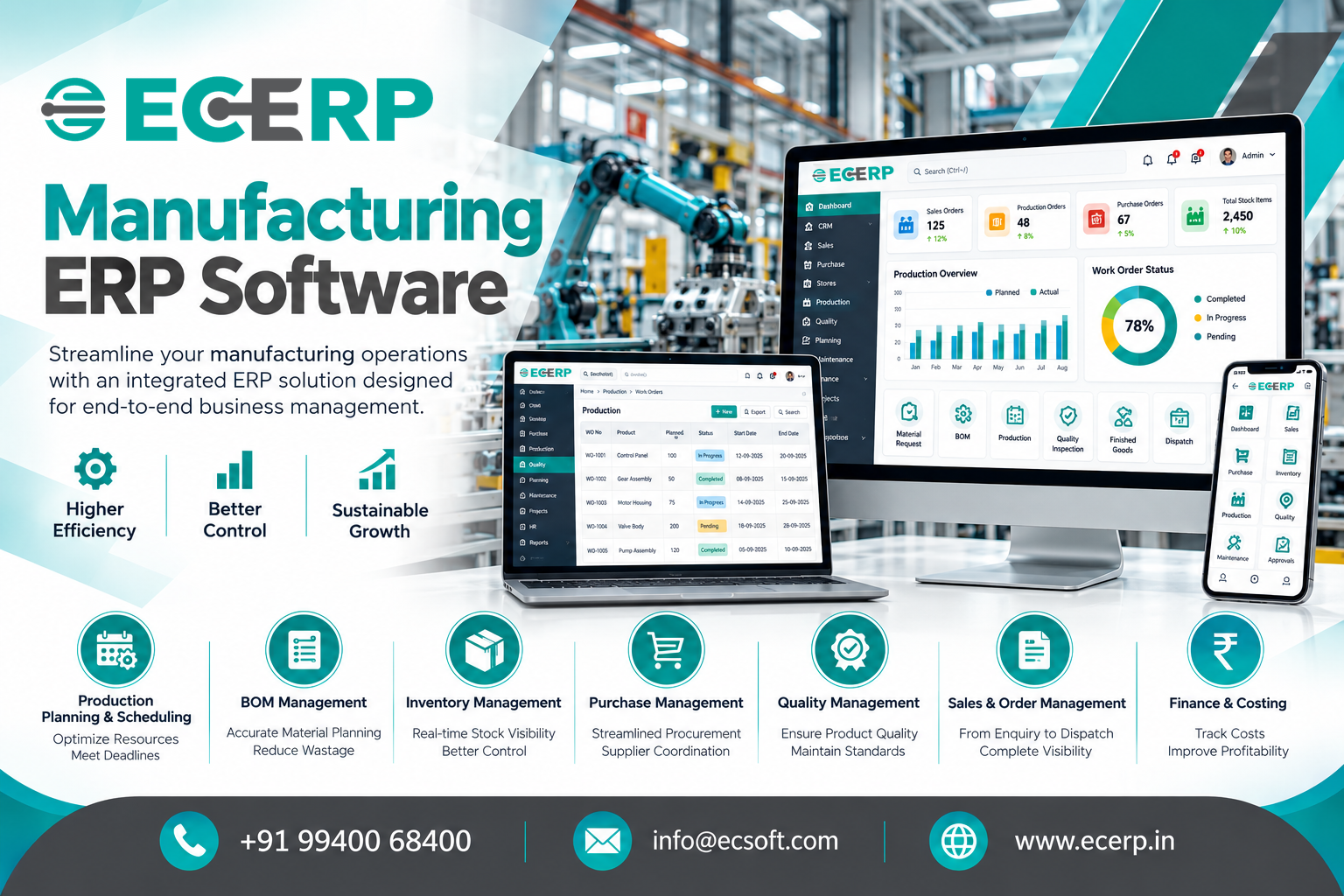
Manufacturing ERP Software: A Complete Guide for Indian Manufacturers
Running a manufacturing business involves much more than producing goods. Manufacturers must coordinate raw materials, purchasing, production schedules, inventory, quality inspections, customer orders, dispatch and financial management. When these activities are managed through disconnected software, spreadsheets and manual processes, maintaining visibility across the business becomes increasingly difficult.
This is where Manufacturing ERP Software can make a meaningful difference.
A manufacturing ERP system connects essential business operations through a central platform, helping manufacturers coordinate departments, monitor resources, manage inventory and make informed business decisions. Instead of relying on separate systems for purchasing, production, stores and finance, businesses can bring these activities together within an integrated ERP solution.
For Indian manufacturers, particularly small and medium-sized enterprises (MSMEs), choosing the right ERP software can support better operational control, improved planning and sustainable business growth. In this guide, we explore what manufacturing ERP software is, its essential features, key business benefits, implementation considerations and how to choose the right manufacturing ERP system for your company.
What is Manufacturing ERP Software?
Manufacturing ERP software, or Manufacturing Enterprise Resource Planning software, is a business management system that integrates manufacturing operations with purchasing, inventory, sales, finance and other essential business functions.
It helps manufacturers coordinate the movement of materials, information and resources throughout the production process.
For example, when a customer places an order, the business may need to verify stock availability, check raw material requirements, plan production, arrange purchasing, schedule manufacturing, inspect finished goods and prepare dispatch documentation. A manufacturing ERP system helps connect these activities so departments can work with consistent information.
Unlike standalone inventory or accounting software, a manufacturing ERP system is designed to support broader operational workflows across the business.
In simple terms: Manufacturing ERP software helps a company plan what to produce, identify the materials required, coordinate production, monitor inventory and connect operational activities with business management.
Why Do Manufacturing Companies Need ERP Software?
As manufacturing businesses grow, operational complexity usually increases. More orders, additional products, multiple suppliers, larger inventories and expanding production requirements can make manual coordination challenging.
Common business challenges include:
- Limited visibility into raw material and finished goods inventory.
- Production delays caused by material shortages or scheduling issues.
- Difficulty coordinating purchasing with production requirements.
- Inconsistent information across departments.
- Challenges tracking work orders and production progress.
- Limited visibility into manufacturing costs and operational performance.
- Delays in preparing reports for management decisions.
Manufacturing ERP software helps address these challenges by connecting workflows and centralising operational information.
For example, a production manager can use available inventory information to support production planning, while the purchase team can identify material requirements that need attention. Management can then review relevant reports to understand business performance and make better-informed decisions.
The actual improvements depend on the ERP features implemented, the accuracy of business data and how consistently employees use the system.
Key Features of Manufacturing ERP Software
The best manufacturing ERP software for a business is one that supports its production model, operational requirements and future growth. The following features are important for many manufacturing companies.
1. Production Planning and Scheduling
Production planning helps manufacturers organise work according to customer demand, material availability, production capacity and delivery requirements.
With production planning and scheduling capabilities, businesses can coordinate manufacturing activities, prioritise work orders and identify potential resource constraints.
Key considerations include:
- Production schedule preparation.
- Work order planning and tracking.
- Capacity and resource planning.
- Production progress monitoring.
- Coordination between production and purchasing.
Business benefit: Better coordination of production activities and more informed decisions about delivery commitments.
2. Inventory and Warehouse Management
Inventory management is a critical component of manufacturing ERP software. Manufacturers need to maintain sufficient raw materials, work-in-progress items, consumables and finished goods without unnecessarily tying up working capital.
An integrated inventory management system helps businesses monitor stock movements and maintain better visibility into material availability.
Important capabilities include:
- Raw material and finished goods tracking.
- Stock movement and adjustment records.
- Warehouse-level inventory visibility.
- Material issue and receipt management.
- Stock reporting and inventory analysis.
Business benefit: Improved stock visibility, better replenishment decisions and reduced dependence on manual inventory records.
3. Bill of Materials (BOM) Management
A Bill of Materials defines the components and quantities required to manufacture a product.
For example, producing an industrial assembly may require metal components, fasteners, electrical parts and packaging materials. The BOM helps define these requirements so production and purchasing teams can plan accordingly.
Manufacturing ERP software with BOM management can help businesses maintain product structures, organise material requirements and coordinate production preparation.
Business benefit: More consistent material planning and better coordination between engineering, stores, purchasing and production.
4. Purchase and Supplier Management
Manufacturing operations depend on timely material procurement and reliable supplier coordination.
ERP purchasing functionality helps businesses manage purchase requirements, supplier information, purchase orders and supplier-related records.
When purchasing is connected to inventory and production planning, teams can make procurement decisions based on operational requirements rather than relying solely on manual requests.
Business benefit: Better purchasing coordination, clearer supplier records and improved visibility into material procurement.
5. Work Order and Production Tracking
Work orders help organise and monitor manufacturing activities. They provide a reference for the work to be completed, the materials required and the relevant production instructions.
Depending on the ERP system, businesses may track work order status, material consumption, production progress and completed quantities.
This helps managers identify work that is pending, in progress or completed and investigate delays more effectively.
Business benefit: Improved production visibility and more structured coordination across manufacturing activities.
6. Quality Management
Quality management helps manufacturers organise inspection activities and maintain records of quality checks.
Depending on the production process, inspections may be required when materials arrive, during production or before finished goods are dispatched.
Manufacturing ERP software may support inspection entries, quality records and the tracking of inspection outcomes.
Business benefit: Better inspection documentation, clearer visibility into quality issues and more consistent quality-related processes.
7. Sales Order and Dispatch Management
Manufacturing businesses must coordinate customer orders with stock availability, production schedules and dispatch requirements.
Integrated sales management helps connect order information with other business operations, reducing the need for teams to repeatedly enter or reconcile the same information.
Key activities include sales order processing, order status monitoring, dispatch coordination and invoicing workflows.
Business benefit: Better order visibility and improved coordination between sales, stores, production and dispatch teams.
8. Finance and Cost Management
Financial visibility is essential for understanding manufacturing performance. Businesses need to monitor expenses, receipts, payments, outstanding amounts and relevant operational costs.
ERP finance modules help connect financial transactions with business processes and support the preparation of financial reports.
Manufacturers should also evaluate whether their ERP supports the production-costing methods they need, including material, labour and overhead allocation where applicable.
Business benefit: More organized financial records, better management reporting and stronger visibility into business performance.
Benefits of Manufacturing ERP Software for Business Owners
Manufacturing ERP software can provide value beyond automating individual tasks. Its main advantage is the ability to connect business activities and support more consistent decision-making.
| Business Area | Potential Benefit |
|---|---|
| Production | Better scheduling and workflow coordination |
| Inventory | Improved stock visibility and material planning |
| Purchasing | More organised procurement and supplier records |
| Quality | Structured inspection records and quality monitoring |
| Sales | Better order tracking and departmental coordination |
| Finance | More accessible financial information and reports |
| Management | Greater visibility across business operations |
For business owners, these improvements can support several broader objectives.
Improved operational control
Managers can review relevant information across departments rather than depending entirely on separate reports.
Better resource utilisation
Production and purchasing teams can coordinate material and resource requirements more effectively.
Reduced manual administration
Integrated workflows can reduce duplicate data entry and repetitive reporting where processes are appropriately configured.
Informed business decisions
Timely and consistent data helps management evaluate operational issues, prioritise work and plan business growth.
Scalable operations
A suitable ERP system can provide a structured foundation as the business adds products, employees, locations or operational complexity.
The results depend on implementation quality, employee adoption and the suitability of the chosen ERP solution.
How Does Manufacturing ERP Software Work in a Real Business?
Consider a manufacturing company that receives an order for 500 finished products.
Without an integrated system, the sales team may record the order separately, stores may check inventory manually, purchasing may work from a spreadsheet and production may prepare its own schedule.
With an appropriately configured manufacturing ERP system, the workflow can be coordinated as follows:
01
Customer order
Record the order and review quantity and delivery requirements.
02
Material availability
Check stock information and identify required materials.
03
Production planning
Plan production activities and organise the relevant work orders.
04
Purchasing and stores
Coordinate material procurement, receipts and material issues.
05
Manufacturing and quality
Track production activities and record relevant inspections.
06
Finished goods and dispatch
Record completed goods, coordinate dispatch and support invoicing.
07
Management reporting
Review relevant production, inventory, sales and financial information.
The exact workflow varies by industry, production method and ERP configuration. The objective is to establish a connected process in which the relevant departments can access consistent information and coordinate their responsibilities.
How to Choose the Best Manufacturing ERP Software in India
Selecting manufacturing ERP software is an important business decision. The right system should fit your current operations while providing room for future development.
Before choosing an ERP vendor, evaluate the following factors.
- Industry suitability: Does the software support your manufacturing model, whether discrete manufacturing, assembly, job-based production or process manufacturing?
- Essential modules: Review production, planning, inventory, purchasing, sales, finance and quality management requirements.
- Integration: Determine whether the ERP can connect relevant business functions and any existing applications that must remain in use.
- Customisation: Understand whether workflows, reports and business rules can be configured to meet your operational requirements.
- Reporting and visibility: Check whether managers can access the reports and dashboards needed to monitor performance.
- Ease of use: Evaluate the user experience for employees working in stores, production, purchasing, sales and finance.
- Implementation and training: Ask about data migration, configuration, employee training, testing and go-live support.
- Total cost of ownership: Consider licensing or subscription fees, implementation, customisation, integrations, training, maintenance and ongoing support.
- Vendor support: Understand the availability of technical assistance, issue resolution, updates and long-term product support.
- Scalability: Confirm that the system can accommodate your expected growth in users, products, locations and operational complexity.
Request a demonstration using realistic business scenarios. A useful demo should show how a customer order, material requirement, production activity and financial transaction connect within the system.
Manufacturing ERP Software for Small and Medium Businesses
Small and medium-sized manufacturing businesses often need better operational visibility without introducing unnecessary complexity.
Many begin with spreadsheets, accounting software and separate tools for inventory or production. These tools may be adequate initially, but coordinating information becomes more difficult as order volumes, product ranges and teams expand.
Manufacturing ERP software for MSMEs can help bring key business functions together in one system.
When evaluating an ERP solution, smaller manufacturers should prioritise:
- Essential modules that address current operational challenges.
- Straightforward workflows that employees can adopt.
- Reliable inventory and production information.
- Practical reports for owners and managers.
- Implementation plans suited to the available budget and resources.
- Flexible configuration and dependable support.
An MSME does not necessarily need every available ERP feature from day one. A phased approach based on business priorities can help control implementation complexity while establishing a foundation for future improvements.
Manufacturing ERP Software vs Excel and Standalone Accounting Software
Excel and accounting software remain useful tools for many businesses. However, they serve different purposes from an integrated manufacturing ERP system.
| Area | Excel and Standalone Tools | Manufacturing ERP |
|---|---|---|
| Information Management | Often maintained across separate files and applications | Connects relevant business functions in one system |
| Inventory | May require manual updates and reconciliation | Can provide integrated stock records and reporting |
| Production | Often planned using spreadsheets or separate applications | Can connect production planning with material and order information |
| Purchasing | May depend on manual coordination | Can link purchasing with stock and material requirements |
| Reporting | May require consolidating information from different sources | Can provide integrated reports based on configured modules |
| Business Growth | File management and coordination may become more complex | Can provide a more structured operational foundation |
The right choice depends on business size, production complexity, budget and management requirements. ERP is worth evaluating when disconnected tools create significant coordination or visibility challenges.
Common Manufacturing ERP Implementation Mistakes to Avoid
A successful ERP implementation requires more than selecting software. Businesses should prepare their processes, information and employees before going live.
Common mistakes include:
- Unclear requirements: Define business problems and expected outcomes before selecting modules.
- Poor data quality: Clean product, supplier, customer and inventory records before migration.
- Unnecessary customisation: Prioritise essential requirements and avoid adding complexity without a clear business benefit.
- Insufficient employee training: Prepare users for the workflows they will manage.
- Unrealistic timelines: Allow sufficient time for configuration, testing, migration and issue resolution.
- Lack of management involvement: Assign clear responsibilities and review progress regularly.
- No performance measurement: Establish baseline measures and monitor results after implementation.
A structured implementation plan helps businesses manage change, improve adoption and get more value from their manufacturing ERP investment.
Why Consider ECERP for Manufacturing ERP Software?
Manufacturers looking for integrated business management software need a solution that connects their operational requirements with practical business workflows.
ECERP, developed by ECSOFT Private Limited, is an ERP solution with modules covering CRM, sales, purchase, services, finance, stores, planning, quality and production management.
For manufacturing businesses, the relevance of these modules lies in their ability to support connected activities across departments.
Depending on the modules implemented and the business requirements, ECERP can help organisations structure workflows involving:
- Sales orders and customer information.
- Purchase and supplier management.
- Inventory and stores operations.
- Production planning and work-related processes.
- Quality inspection records.
- Financial transactions and management reporting.
The appropriate configuration depends on your manufacturing process, reporting requirements and operational priorities. Businesses should discuss specific requirements during a product demonstration to confirm which capabilities are available and how they can be configured.
If you are evaluating manufacturing ERP software in India, exploring ECERP can be a practical next step towards understanding how an integrated system may fit your business.
Ready to explore ERP for your manufacturing business? Visit ECERP to learn more about the solution and discuss your requirements with the team.
Frequently Asked Questions About Manufacturing ERP Software
1. What is manufacturing ERP software?
Manufacturing ERP software is an integrated business management system that connects production, inventory, purchasing, sales, finance and other manufacturing-related operations. It helps businesses coordinate resources, monitor workflows and make informed decisions using consistent business information.
2. What are the main features of manufacturing ERP software?
Common features include production planning, work order management, inventory tracking, Bill of Materials (BOM) management, purchasing, quality management, sales order processing, financial management and reporting. The exact features vary by ERP vendor and product configuration.
3. What are the benefits of ERP software for manufacturing companies?
Manufacturing ERP software can improve operational visibility, support better material planning, coordinate departments, reduce repetitive data entry and provide more accessible management reports. Actual results depend on the solution, implementation and business processes.
4. Which ERP software is best for manufacturing companies in India?
The best manufacturing ERP software depends on your industry, production process, budget, essential modules, integration needs, implementation requirements and vendor support. Compare solutions using realistic business scenarios and confirm that the required features are available before making a decision.
5. Is manufacturing ERP software suitable for MSMEs?
Yes. Manufacturing ERP software can be suitable for small and medium-sized businesses that need better control over production, inventory, purchasing and finance. MSMEs should select a solution that fits their current requirements and can support future growth without unnecessary complexity.
6. How much does manufacturing ERP software cost in India?
The cost varies according to the ERP product, number of users, deployment model, modules, customisation, integrations, implementation effort and ongoing support. Request a detailed quotation that covers the full cost of ownership rather than comparing software fees alone.
7. How long does it take to implement manufacturing ERP software?
Implementation timelines depend on business complexity, data quality, the number of modules, customisation, integrations and employee readiness. A clearly defined scope, prepared data, thorough testing and structured training can help make implementation more manageable.
8. Can manufacturing ERP software manage inventory and production together?
Yes, many manufacturing ERP systems connect inventory information with production planning and work orders. This can help businesses assess material availability and coordinate stock movements with production activities. The exact workflow depends on the ERP's capabilities and configuration.
9. What is the difference between manufacturing ERP and inventory management software?
Inventory management software focuses primarily on stock, warehouse activities and inventory transactions. Manufacturing ERP can connect inventory with additional functions such as production planning, purchasing, sales, quality and finance, depending on the modules available.
10. How can I choose the right ERP software for my manufacturing business?
Start by documenting your operational challenges, production workflows and reporting requirements. Evaluate suitable ERP vendors, request demonstrations, compare total ownership costs, review implementation support and verify that the system can handle your business scenarios.
Conclusion
Manufacturing ERP software helps businesses connect the activities that keep their operations running, from purchasing raw materials to producing finished goods and fulfilling customer orders.
For manufacturers aiming to improve operational visibility, coordinate departments and establish a stronger foundation for growth, choosing the right ERP system can be an important step.
The key is to select software that fits your manufacturing process, addresses genuine business challenges and can evolve with your requirements.
If you are exploring manufacturing ERP software for your business, evaluate your current workflows, identify your most important requirements and compare solutions through practical demonstrations. ECERP can be one of the solutions you consider as you assess your ERP requirements.
Visit ecerp.in to explore ECERP and discuss your manufacturing business needs.